How to deliver wedding photos to your couples: a complete guide
· Stefan - Scatti D'Emozione Studio Roma · 7 min read
How to deliver wedding photos without spending the weeks afterward answering the same questions? I've been a wedding and christening photographer in Rome since 2014, and I've learned that delivery is the moment your work shows, but also the moment the messages arrive: "When will we get them?", "How do we download them?", "Which ones go in the album?"
In this guide I lay out the method I use: my real timing, what I deliver, how couples pick photos for the album, how to avoid download problems and what happens to the files afterward. It holds with any tool you use.
1. When to deliver: my real timing
For a wedding I deliver the full gallery after about six weeks. It holds about 1,300 photos on average. The six weeks cover selecting, editing and a last check of the whole sequence, from getting ready to the party.
In the days right after the wedding I don't send previews. It's a deliberate choice: I don't want to spoil the story. I'd rather the couple see it all together, in the order of the day and with the final color, than get a taste on their phones. The price of that choice is a wait in which the couple has nothing in hand. That's why the timing has to be said up front: a wait that was announced weighs less.
Many colleagues do the opposite: they send 10 to 20 photos within a week of the wedding. The couple shares them right away, the excitement stays high and the "when will we get them?" questions drop. The cost is extra work right when you often have the next shoot already, and those few photos become the yardstick the couple uses while waiting for all the rest.
There's no right choice for everyone. Pick the one your workload can carry, then keep it the same for every couple. Three rules that hold either way:
Put the timing in the contract, in weeks, not "within a few months".
Repeat it out loud after the wedding, in one sentence: "The full gallery arrives in about six weeks. I'll write to you when it's ready."
If you're running late, get in touch before they do. One message before the deadline saves ten questions after it.
2. Online gallery, USB drive or album: pros and cons
These are three different things, and it helps to know what each one does.
Online gallery. One thing first: sending photos through a file-transfer link or a shared folder (WeTransfer, Google Drive) works, but it isn't a professional delivery. It's a folder of files with no order, awkward on a phone and without your brand. A gallery is a different thing: it has a structure, it's made to be opened on a phone, and it carries your colors and your fonts. Pros: the couple opens it from anywhere, sends it to their parents, picks favorites, downloads the originals and, if you want, orders prints. Cons: it depends on a connection, it usually expires, and the files stay with you until the couple downloads them. If they don't download, once it expires all they have left is the memory of a link.
USB drive. Pros: it's an object, you can gift it, and it works without internet. Cons: it gets lost, it can get corrupted and take the photos with it, many new computers and phones don't have the right port, it costs money and it has to be handed over or shipped. And a USB drive in a drawer isn't a backup: it's a single copy.
Album. Pros: it's what stays in the house and what gets shown to the grandparents. Cons: it needs a selection, which means time, and it holds just part of the shoot.
In practice they aren't alternatives. I always deliver the digital gallery and, when the package includes it, the album with a USB drive alongside. The gallery is how you deliver all the photos, the album is the finished product, and the USB drive is the physical copy that goes with the album.
3. Picking the photos for the album
This is where a lot of delivery time gets lost. The reason is almost always the same: the choice happens in a chat, with lists of file numbers typed by hand, sent in pieces, sometimes by two people who don't agree.
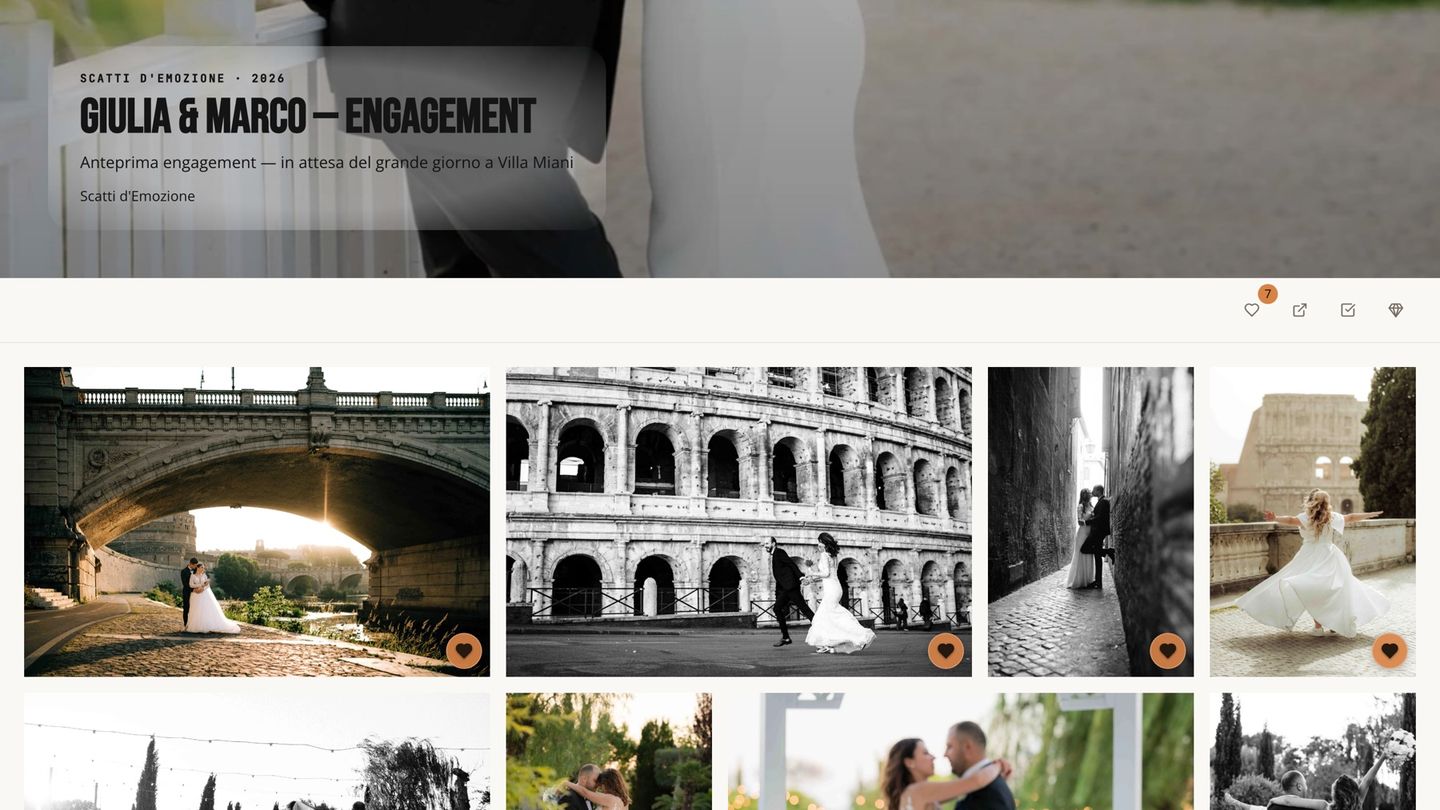
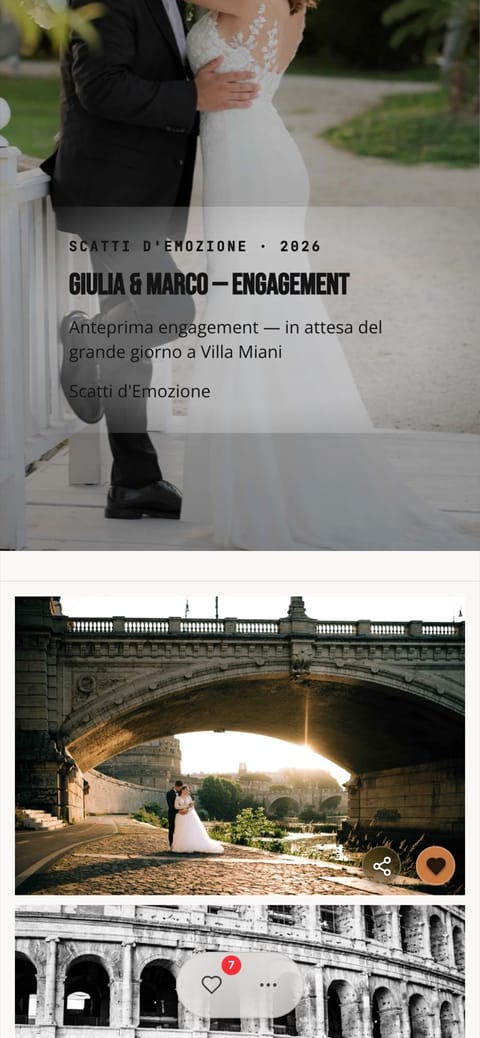
I have the client choose, but inside the gallery. I send an email that explains how: all they have to do is tap the heart on their favorite photos. The choice is saved with the name of the person who made it: when two people choose, I can see who added hearts and how many each of them picked. No file numbers to copy out.
A few tips, whatever your method:
Explain everything in one email, not five messages. The couple will reopen it when they sit down to choose, often weeks later.
Give a reference point. I ask for about 80 to 100 photos, but it isn't a limit: couples are free to pick as many as they want. A rough number helps more than "choose the ones you like"; without one you get lists of 400, and then you trim them together.
Suggest choosing together. I always say it: one evening, one computer, the two of them. The discussion happens in front of the photos, not over text messages. The list with the name is still useful if one of them adds something on their own later.
Give a soft deadline. Without one, the album sits for months.
4. Downloads: browser limits and how to get around them
1,300 full-resolution photos weigh several gigabytes. A browser isn't built to download a file that large in one go, and the problems are always the same:
The connection drops halfway. The download often restarts from zero, and after two attempts the couple writes to you.
The phone isn't enough. Storage runs out, compressed files are awkward to open, and the photos land in folders the couple can't find.
The browser blocks multiple downloads. If the gallery downloads many files at once, some browsers ask for a permission that people don't read and just close.
The page gets closed too soon. If the archive is built while the page is open, closing it loses everything.
How to avoid them:
A link by email. Instead of making the couple wait in front of the screen, the archive is built on its own and an email with the link arrives when it's ready. They can close the page.
Split archives. Use several archives of a reasonable size instead of one enormous one: if a download breaks, just that part is redone.
Full-resolution originals, called that. Printing needs the originals. If you also offer a light version for social media, say clearly which is which.
A mini guide in the delivery email. Three lines: download from a computer, on Wi-Fi, and make a second copy right away.
5. Backup and archive after delivery
Delivery isn't an archive. After the download the photos are in the couple's hands, but often on a single computer. Write it in the delivery email: "Make two copies, in two different places." It's one line, and it saves you the phone call from someone who lost everything with a laptop.
For your own files, the 3-2-1 rule applies: three copies, on two different kinds of media, one outside the studio. A drive in the studio, one at home and an online copy is already a solid base. Here's what I do: I keep the RAW files for one year, the online gallery stays active for one year, and the copy of the final photos I archive with no expiry date. More than once a couple has lost the USB drive or the copy on their computer, and I was able to send the photos again. Memories don't come with an expiry date.
Two decisions to make once and write into the contract:
How long the gallery stays online. A precise date, with a notice before it expires.
How long you keep the files after delivery. A couple may write back years later for a print, or because they lost their drive. If you know what you promised, you know what to answer.
6. How I do it in Focus Flow Studio
This is for those who want to see how it works in my case: the tips above hold anyway.
In October 2026 I moved everything to Focus Flow Studio, for my three brands: Scatti d'Emozione (weddings and christenings), ProSelfie (photo booth) and Flying Dress Rome (photo shoots in Rome for people visiting the city). I did it with eleven shoots still to deliver, so the next deliveries go out from here.
Branded galleries. Photos and videos with the logo and colors of the right brand. The client taps the heart on favorites, comments and downloads the full-resolution originals. Photo and video galleries
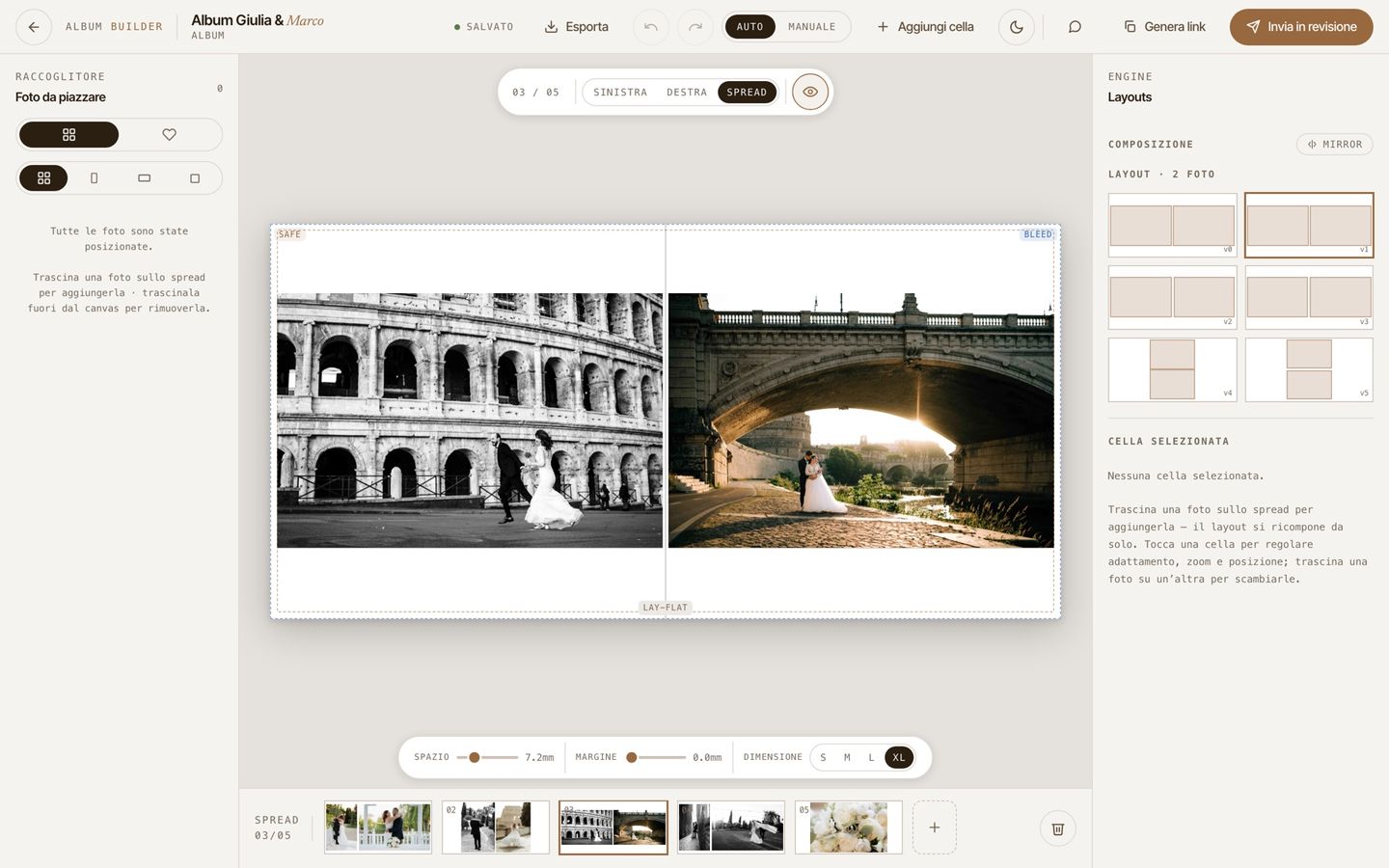
Album selection. The email with the instructions, the heart on favorites, the list saved with the name of whoever chose. Then the album: I design it, or the couple does it themselves in the included album builder. It's a simple tool, it starts from their favorites, and comments and approval happen right there: no back-and-forth messages about which photo goes on which page. And they enjoy it: "I made this album myself." The album builder
Download of the whole gallery. The archive of all the photos is built on the server and an email with the link arrives when it's ready: the couple can close the page. If the gallery is large, the archive comes in several parts, and an interrupted download is redone for that part only. On iPhone the photos save straight to Photos, in groups, without going through a compressed file. Every download is logged with the name of whoever made it.
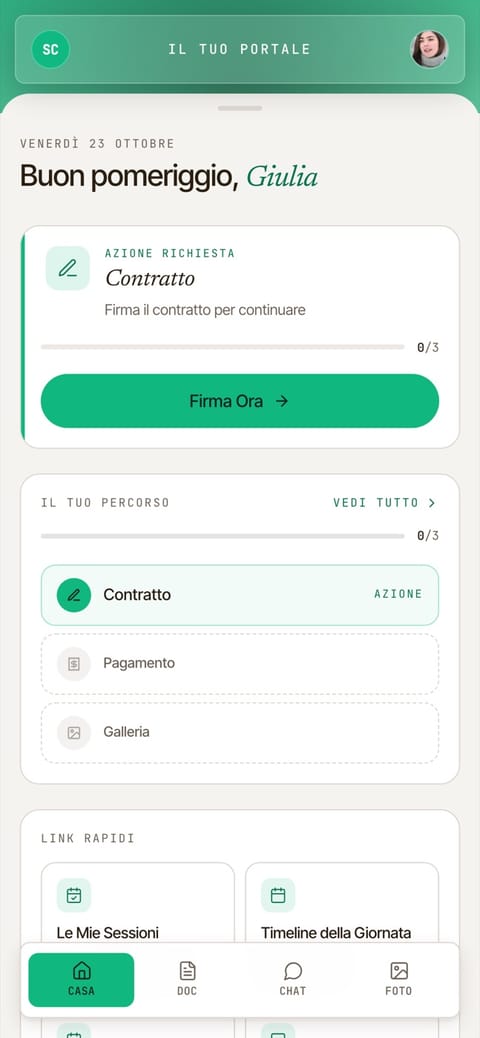
One place for the client. Contracts, payments, galleries and messages live in the client portal. The question "where was the link?" has one answer. The client portal
Prints. Inside the gallery there's a shop for prints and digital files, with no commission for the photographer. You fulfill the orders yourself: you print from the ready files or pass them to the lab you trust.
Backup. When a gallery expires, the originals are archived at no extra cost, up to 5 TB per account, on every plan, as long as the subscription is active. If the subscription ends, galleries stay online for 30 days and the archive for 90, with email reminders. Free backup
The Starter plan is €19 a month (200 GB, one brand), the Studio plan €39 a month (1 TB, up to three brands). The trial is 14 days, no card.
7. Frequently asked questions
How long does a photographer take to deliver wedding photos?+
It depends on the photographer and the time of year. I deliver the full gallery in about six weeks. What matters is that the timing is written in the contract and said before the wedding.
How many photos does a wedding photographer deliver?+
It depends on the hours of coverage, the number of guests and the style. I deliver about 1,300 on average for a wedding. More than the number, what counts is that the story of the day is complete.
Should I choose an online gallery or a USB drive?+
They do different things. The online gallery is for delivering, sharing and picking album photos. The USB drive is an extra physical copy. Neither one, on its own, is a backup.
How do couples pick the photos for the album?+
The simplest way for them: inside the gallery, by marking favorites. One email with the instructions, a rough number of photos and a soft deadline prevent endless lists in a chat.
Why won't the photo download work from my phone?+
Because 1,300 full-resolution photos weigh several gigabytes, and the phone often lacks the space or can't open compressed files well. Download from a computer, on Wi-Fi, and then make a second copy.
How long does a photographer keep wedding photos?+
The photographer decides, and it should be written in the contract. Whoever delivers should also say how long the gallery stays online, and remind the couple to make their own copy.
Stefan has been a wedding and christening photographer in Rome since 2014 with Scatti d'Emozione. He built Focus Flow Studio to run his own business, and today it runs all three of his brands.