Starter
Online Booking
Your public booking page — clients book 24/7, without the back-and-forth
Learn moreStarter
From first contact to final delivery, manage everything in one place
Stop losing leads in spreadsheets. Track every client from first inquiry to paid invoice with automated follow-ups and smart reminders.
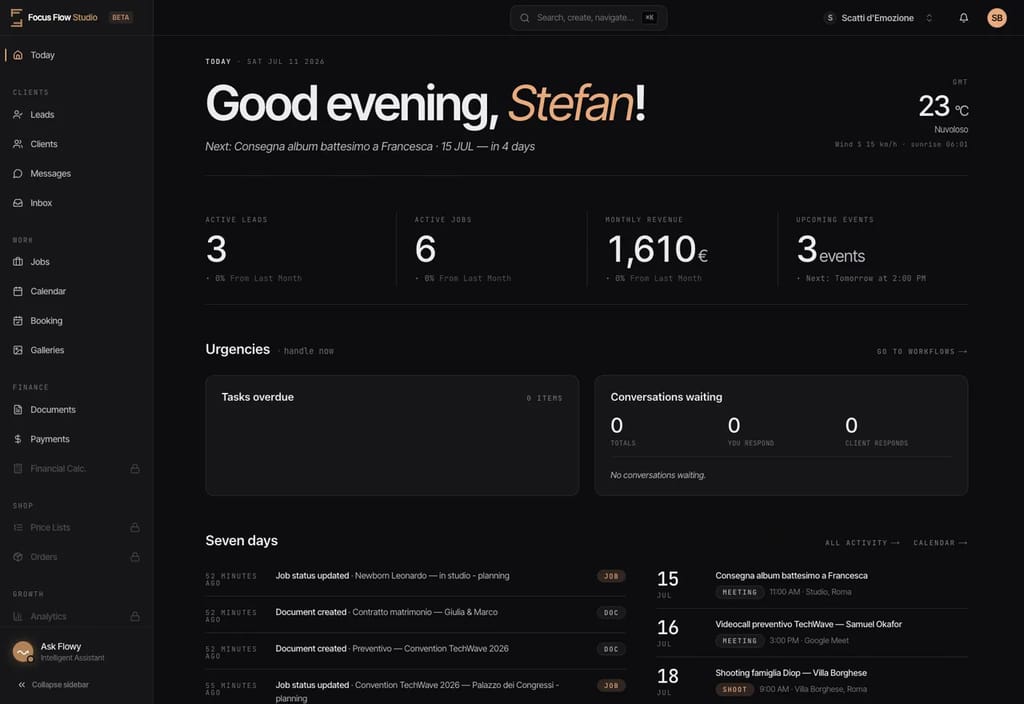
The Problem
Leads slip through the cracks when they live in spreadsheets, sticky notes, and scattered emails — forgotten follow-ups and missed opportunities.
The Solution
Focus Flow Studio gives you a complete view of every lead, client, and project. See at a glance who needs attention, which quotes are pending, and what deadlines are approaching.
Every inquiry tracked from first contact to paid invoice.
Key Benefits
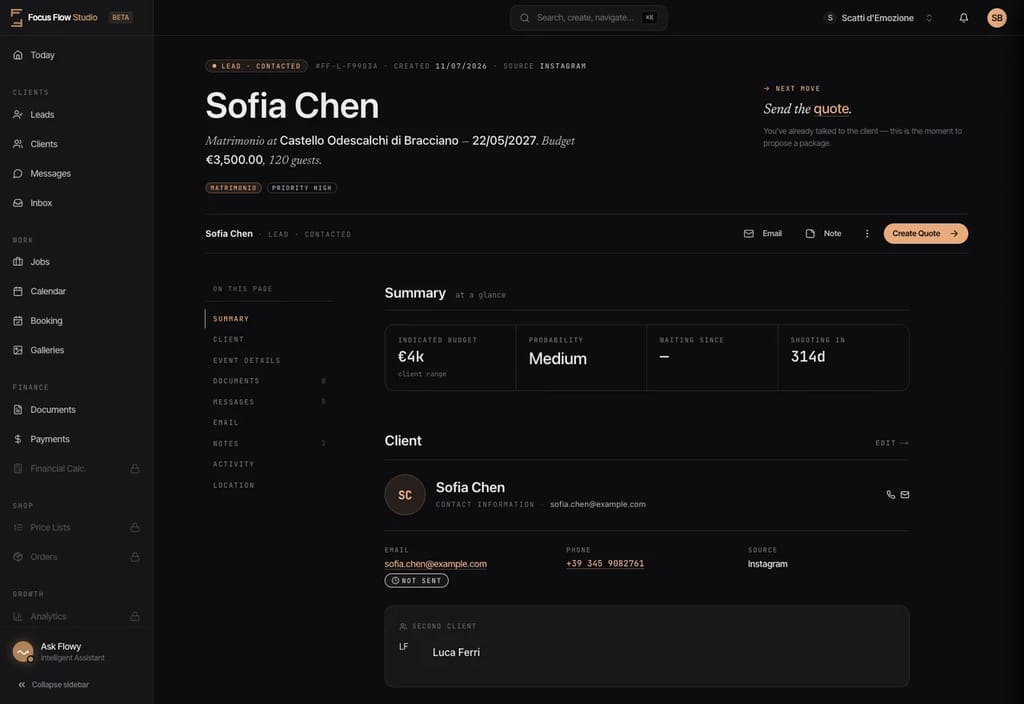
Watch leads move from inquiry to booking with visual status tracking.
Complete history for every client: projects, documents, payments, messages.
Generate quotes, contracts, and invoices from templates in seconds.
Reminders for pending quotes and upcoming shoots.
Real-World Use Cases
The Challenge: Managing 50+ inquiries during engagement season without losing track
The Result: Convert more couples with organized follow-ups and professional responses
The Challenge: Keeping track of repeat clients and their family sessions over the years
The Result: Build lasting relationships with complete client history at your fingertips
FAQ Common questions
A photography CRM keeps every lead, client, and job in one place instead of spreadsheets and scattered emails. Focus Flow Studio gives each client a profile with full job history, galleries, payments, and private notes, and moves leads through a visual pipeline from inquiry to booked. When you convert a lead to a job, it becomes a client automatically.
Yes. Every lead records a source such as Instagram, Google, referral, or wedding fair, so after a few months you can see which channels bring your best bookings. Leads move through pipeline stages (inquiry, contacted, quoted, negotiating, then booked or lost), and each one keeps its own contact details, event info, notes, and communication history.
Clients are created automatically when you convert a lead to a job, create a job directly, or when someone books through your booking page. You can also add them manually, or bulk-import from a CSV when migrating from another system. The system checks email addresses to flag duplicates before creating a new record.
Yes. Focus Flow Studio is photographer client management built around how studios actually work: each client profile links jobs, galleries, contracts, invoices, and payment schedules, and supports couples or a secondary client on one record. Private notes let you record preferences like preferred lighting or posing that are never visible to the client.
Related Works great with
Combine these for an even better workflow.
Starter
Your public booking page — clients book 24/7, without the back-and-forth
Learn moreStarter
Deposits, installments and reminders, set once
Learn moreStarter
Professional emails that send themselves
Learn moreStarter
Automate your workflow from booking to delivery
Learn moreStart your 14-day free trial and run your whole studio in one place.